GA4 and AI: measuring traffic from AI answers
Published on October 15, 2026
Metrics and Monitoring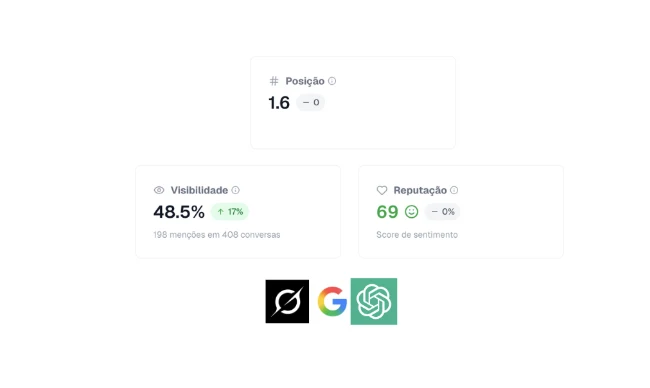
Google Analytics 4 alone doesn't tell the whole story, but it's one of the reading sources. To measure traffic from AI answers in GA4, you need to read the acquisition, landing pages, and engagement reports knowing that AI usually shows up disguised as direct traffic or referral from AI search domains. And complement it with mention monitoring.
At Bincoo, we cross analytics data from clinics with what AIs answer about them, and the pattern is consistent: when mentions go up, qualified direct traffic and searches for the clinic's name go up together.
More than 10,000 companies already use Bincoo to be recommended by ChatGPT, Gemini, and other platforms.
How AI shows up (disguised) in GA4
The patient asks the question to the AI, gets the recommendation, and then takes one of these paths:
- Clicks the link when the AI shows sources: arrives as referral from the domain (chatgpt.com, gemini.google.com, perplexity.ai, copilot.microsoft.com);
- Copies the clinic's name and searches it on Google: arrives as organic brand search;
- Types the site directly: arrives as direct traffic;
- Calls or messages on WhatsApp: doesn't pass through analytics, only through the front desk.
The reports worth opening
Acquisition: referral traffic
Create a comparison (segment) for sessions whose source contains chatgpt.com, gemini.google.com, perplexity.ai, copilot.microsoft.com, or claude.ai. If there's volume there, you have a direct read, though it's usually small.
Landing pages
Visitors coming from AI usually land on service pages, not the homepage. If the implants page grows with no active campaign, suspect AI.
Engagement and conversion
The AI visitor arrives with high intent. Compare contact conversion rates across direct, organic, and AI referral segments.
| Signal in GA4 | Likely reading |
|---|---|
| Referral from chatgpt.com or perplexity.ai | Direct click on the answer's link |
| Organic search for the clinic's name rising | AI recommendation that generated a search |
| Qualified direct growing (high time, high conversion) | AI traffic with no referrer |
| Service pages gaining sessions with no campaign | AI answer citing the service |
The AI dashboard in three sources
No single source proves anything. The full picture combines:
- GA4: referral from AI domains, brand searches, and qualified direct;
- Mention monitoring: how many answers cite the clinic and in what position;
- Front desk: patients who say they came from an AI recommendation.
When all three rise together month after month, the conclusion is practically automatic.
How to build the comparison in GA4
In GA4, create a comparison of sessions whose source contains the AI domains and save it as a custom report called AI Traffic. Next to it, open the organic search report filtered by the clinic's name. Review both every week along with the schedule: if AI mentions rose in the previous week, expect to see the reflection in these reports three to seven days later. That delay is normal and applies to any clinic. With four to eight weeks of data, the pattern becomes clear enough for you to predict how the reports will behave before even opening them.
Common reading mistakes
- Expecting a new channel called AI in GA4: it doesn't exist, and waiting for it makes you underestimate the phenomenon;
- Treating direct as nothing: a relevant slice of clinic direct traffic is AI traffic;
- Ignoring WhatsApp: for a clinic, WhatsApp contact matters more than pageviews, and it doesn't show up in analytics;
- Measuring analytics only: without mention data, you know something grew, but you don't know if it was AI.
Conclusion
- In GA4, AI traffic shows up as referral from AI domains, brand search, and qualified direct;
- Compare landing pages and conversion across segments to see the pattern;
- Combine GA4, mention monitoring, and front-desk logging to prove where patients come from.
Want to see what AIs say about your clinic side by side with what analytics shows? access Bincoo and build that view today.
Frequently asked questions
"Does GA4 show where AI traffic comes from?"
Partially. Direct visits from links copied out of ChatGPT and Gemini answers show up as direct, direct traffic, or referral from AI search domains. User behavior, not the source, is what reveals that they came from an AI.
"Why does AI traffic show up as direct?"
Because the conversation happens inside the AI, in its app or site. When the patient copies the clinic's name and types it into the browser, analytics doesn't receive the origin referrer and classifies it as direct traffic.
"Which GA4 report helps identify AI visitors?"
The landing pages report combined with high-quality sessions: visitors coming from AI usually land on service pages after searching for the clinic's exact name, with a contact conversion rate above average.
"Is it worth creating UTMs for AI appearances?"
The links inside AI answers aren't yours to parameterize, so UTM doesn't solve it. The path is to combine GA4 with mention monitoring and origin logging at the front desk.